Introduction to Microsoft Sentinel's User and Entity Behavior Analytics
As SOC analysts work to defend their environments, one of the hardest problems is understanding what normal actually looks like. Baselines are difficult in distributed organizations with remote work, varied privilege, and a wide mix of systems and workflows.
Microsoft Sentinel's User and Entity Behavior Analytics, or UEBA, is designed to help with that problem by correlating logs and alerts from multiple sources and building behavioral baselines around entities in the environment.
What is Sentinel's UEBA?
UEBA allows Sentinel to collect logs and alerts from different sources and build baseline profiles for entities in an organization. Those entities can include:
- IP addresses
- hosts
- users
- applications
Sentinel analyzes this data over time and uses machine learning to identify anomalous behavior. That helps security teams estimate whether an entity may be compromised, understand the potential blast radius, and prioritize investigations.
How UEBA works
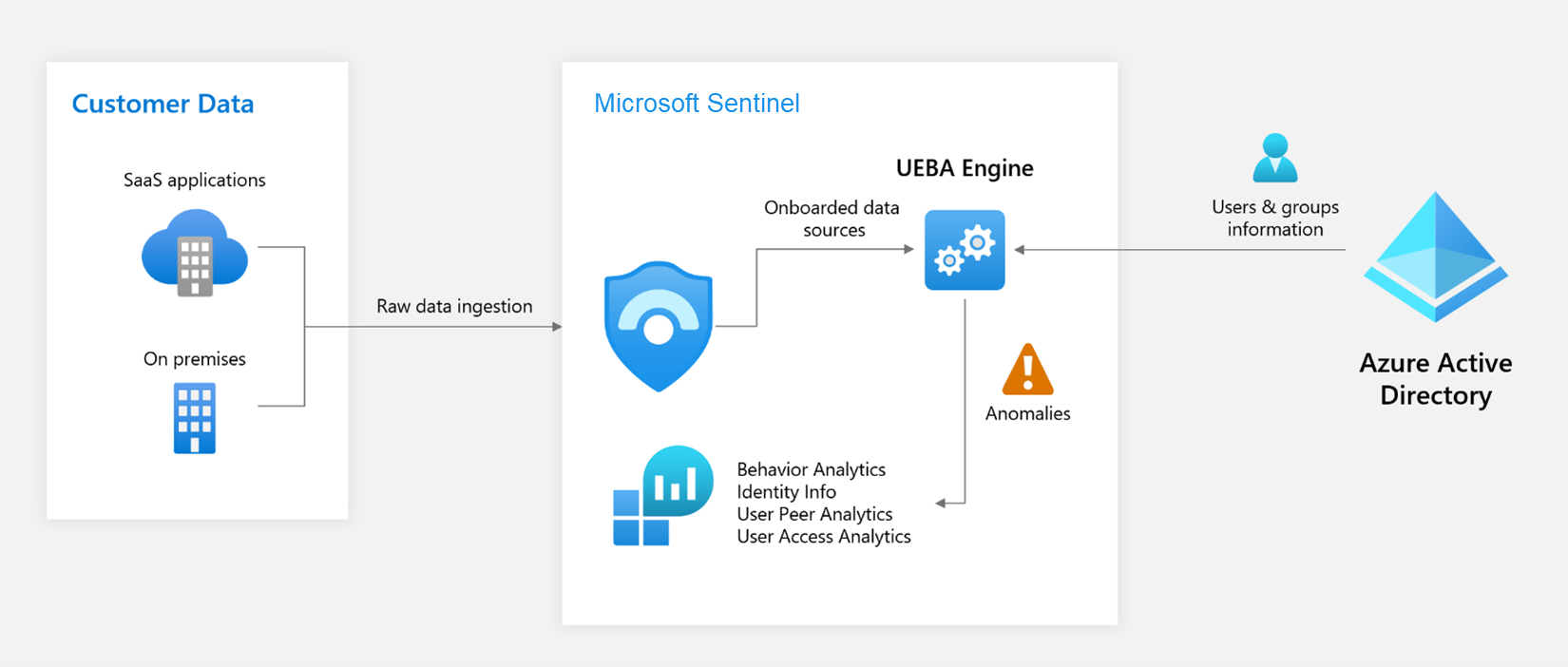
Diagram courtesy of Microsoft Learn: Advanced threat detection with User and Entity Behavior Analytics (UEBA) in Microsoft Sentinel.
At a high level, the process looks like this:
- Data collection. Sentinel ingests data from logs, alerts, and threat intelligence sources, including third-party environments.
- Data processing. Events are normalized and correlated so Sentinel can extract meaningful entities and actions.
- Behavioral profiling and anomaly detection. Sentinel builds behavioral profiles over time and identifies deviations using machine learning and contextual signals.
- Risk scoring. Users and entities receive risk scores based on anomaly signals, threat intelligence, and user attributes.
- Alerting and investigation. Once thresholds are crossed, analysts can investigate the activity in context.
How to turn it on
UEBA is straightforward to enable.
Prerequisites
- A Microsoft Sentinel workspace
- Global Administrator or Security Administrator in Entra ID
- Microsoft Sentinel Contributor or Log Analytics Contributor in Azure
Enable UEBA
- Sign in to the Azure portal.
- Search for Microsoft Sentinel and select your workspace.
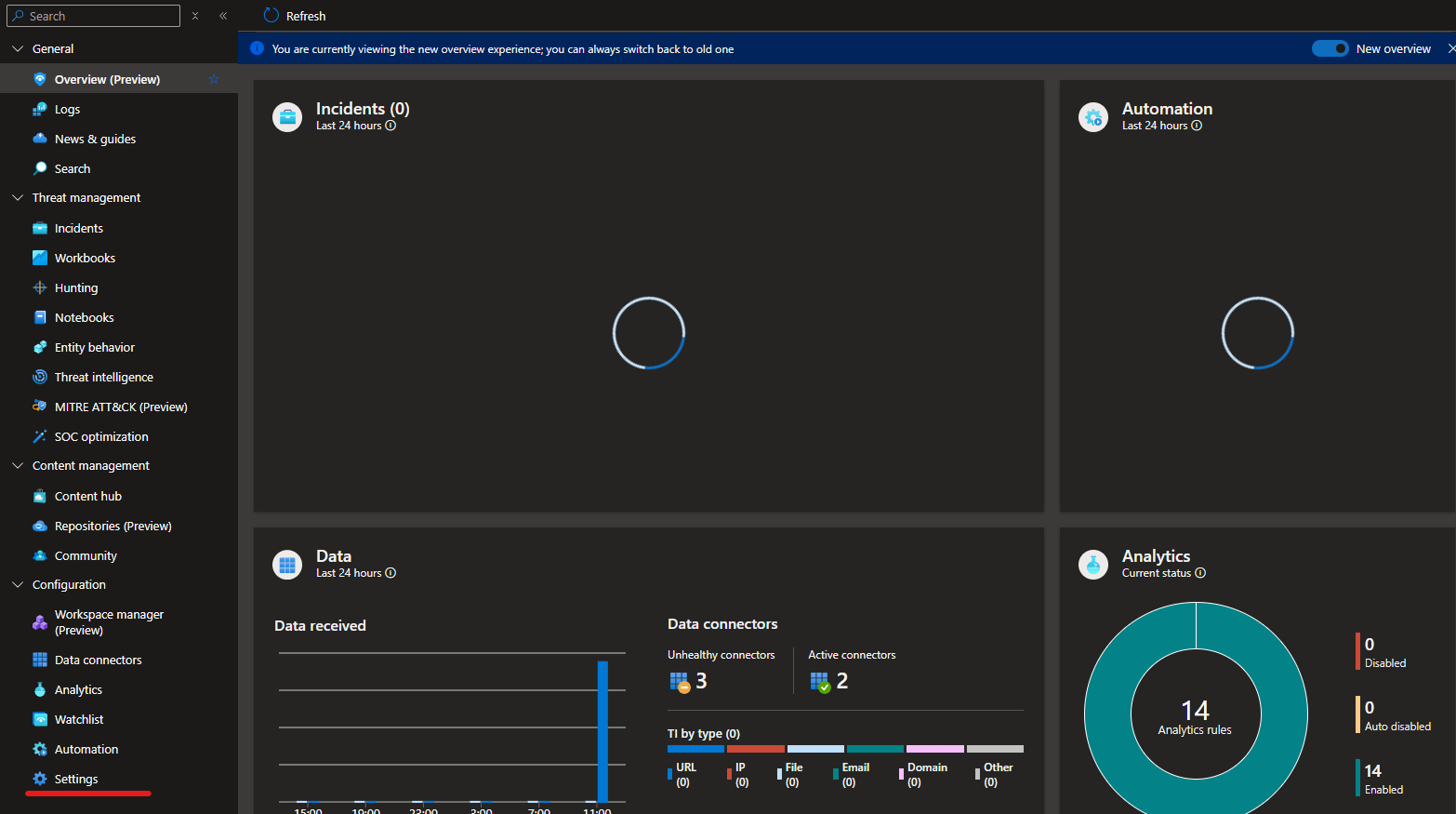
- Open Settings from the configuration menu.
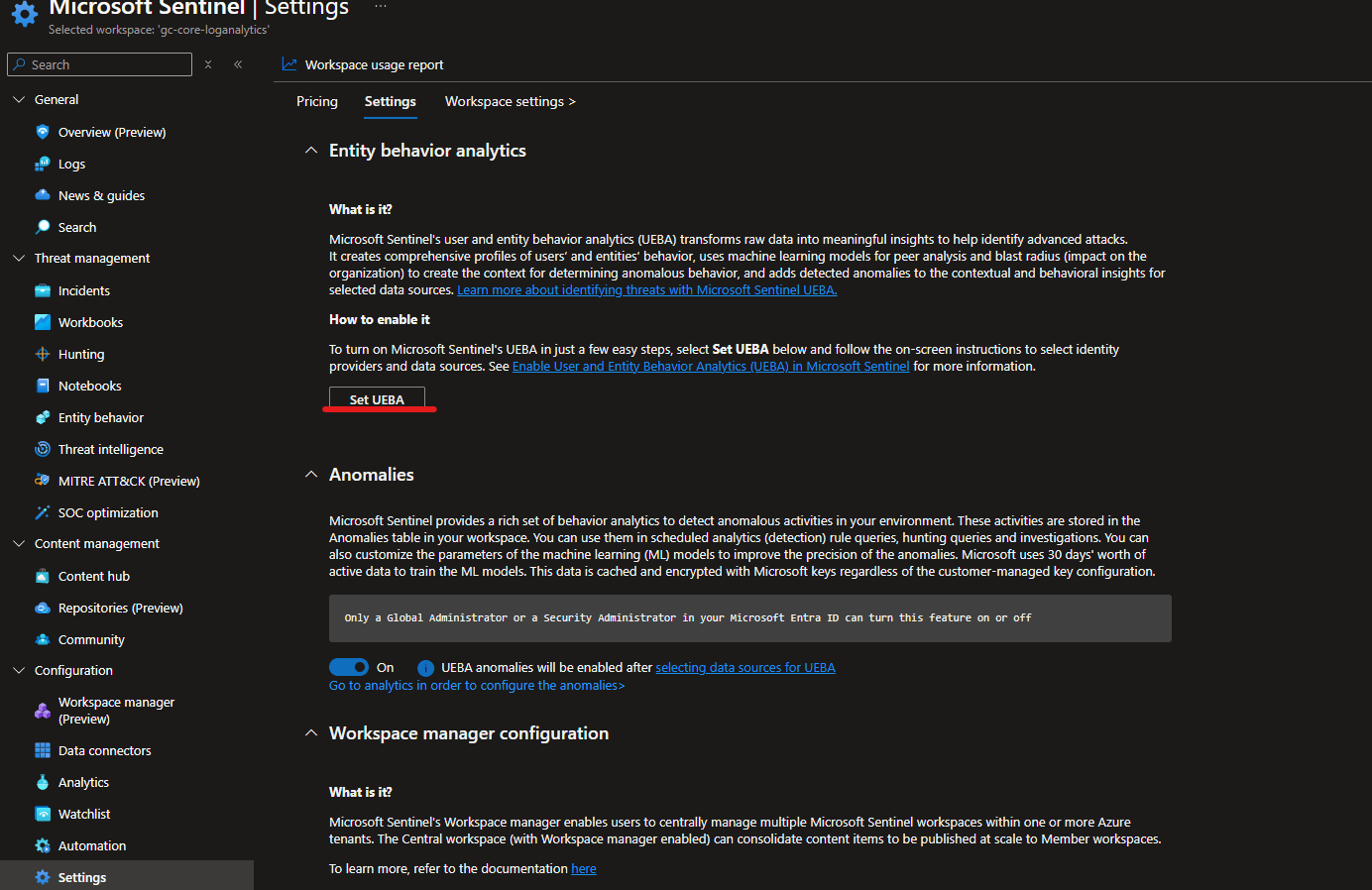
- On the Settings tab, choose Set UEBA under Entity Behavior Analytics.
- Turn on the UEBA feature toggle.
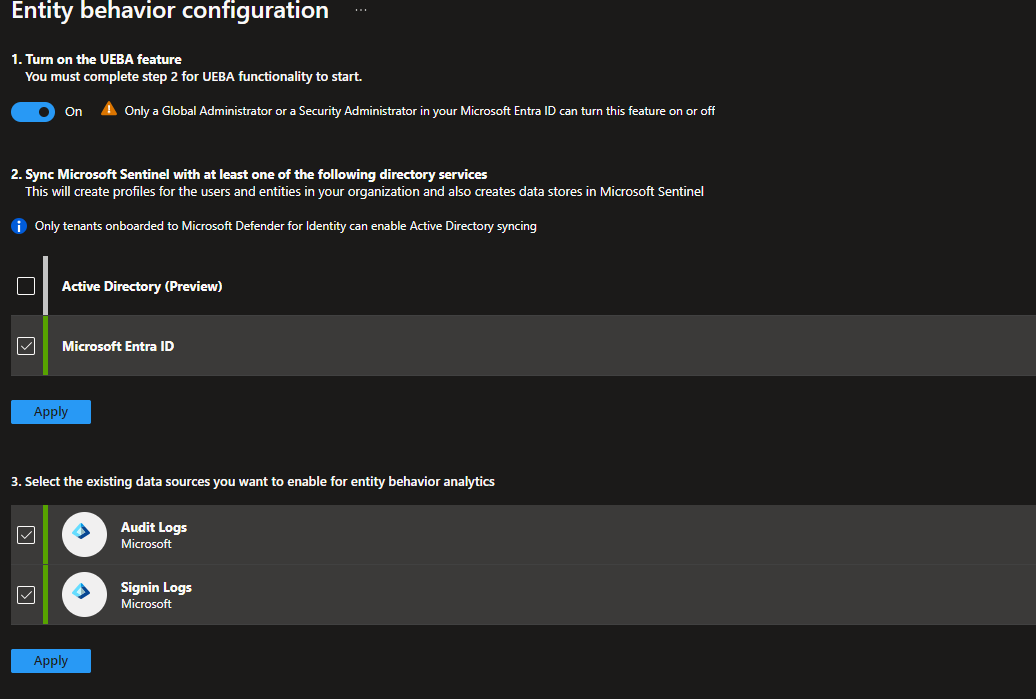
- Choose the directory service to synchronize entities from.
- Select the data sources you want to include.
Once enabled, Sentinel begins building the entity profiles needed for analysis.
Viewing UEBA data
There are two views I find most useful once UEBA is active.
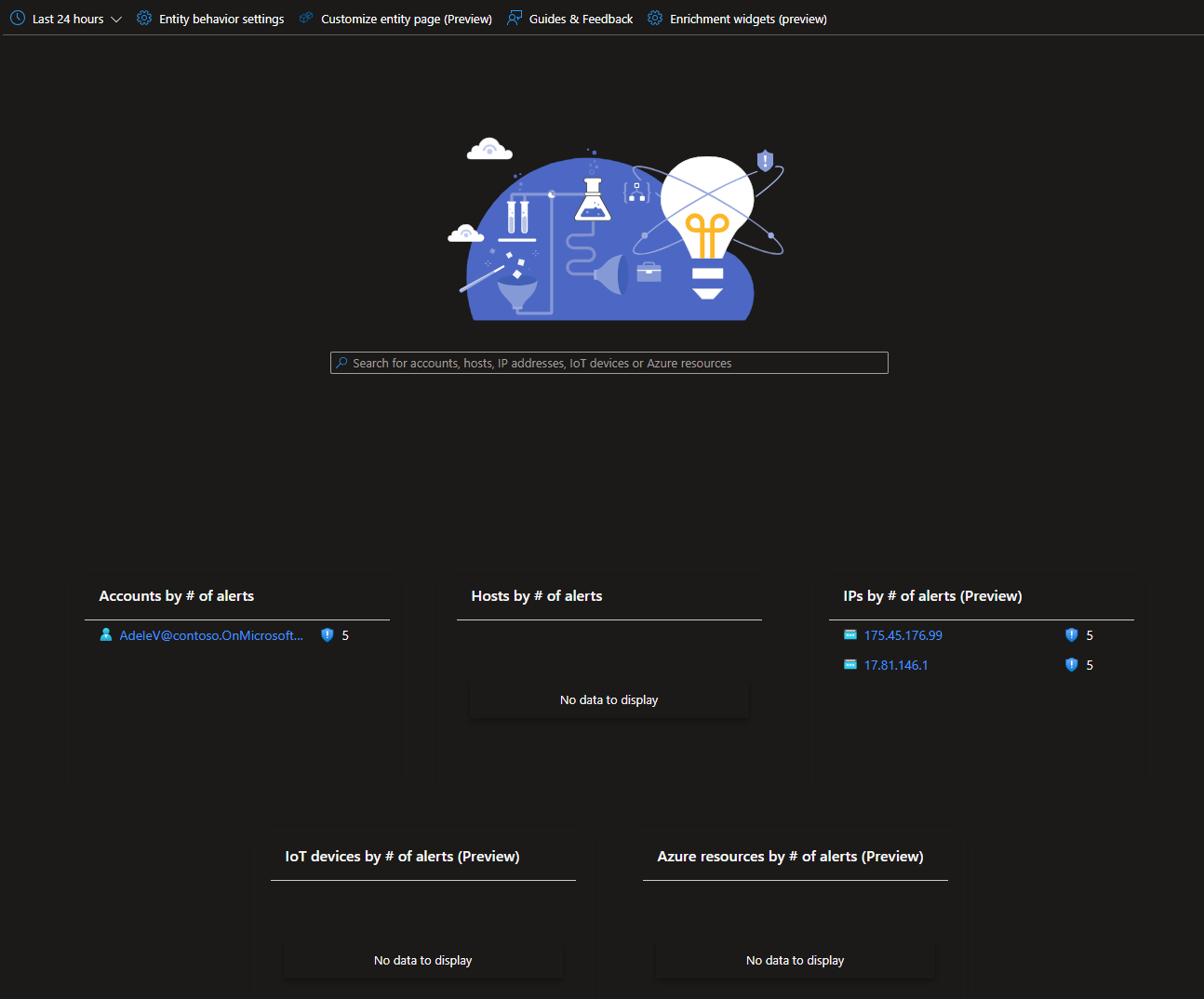
Entity Behavior dashboard
The Entity Behavior experience under the threat management area provides entity-centric investigation and alert views. It also supports enrichment widgets backed by third-party sources such as VirusTotal, Recorded Future, Anomali, and AbuseIPDB.
UEBA workbook from the Content Hub
The User and Entity Behavior Analytics workbook gives you a code-backed workbook template for exploring UEBA signals visually. Because it is built on workbook queries, it can be customized to show the data and context that matter most to your team.
Summary
UEBA in Microsoft Sentinel helps teams establish baselines for entities such as users, devices, applications, and IP addresses. By combining multiple data sources with machine learning, Sentinel can identify behavior that deviates from the norm and help analysts investigate suspicious activity earlier and with more context.